For developers who bill client work
Your Jira hours.
Your next invoice.
Bring your worklogs and billable hours together. Review what you worked on, reconcile it with Jira, and turn it into a client-ready invoice.
Interactive sample project. No account or Jira connection needed.
Start your own 30-day trial · No card needed
Northstar / Website rebuildExample
Illustrated billing summary
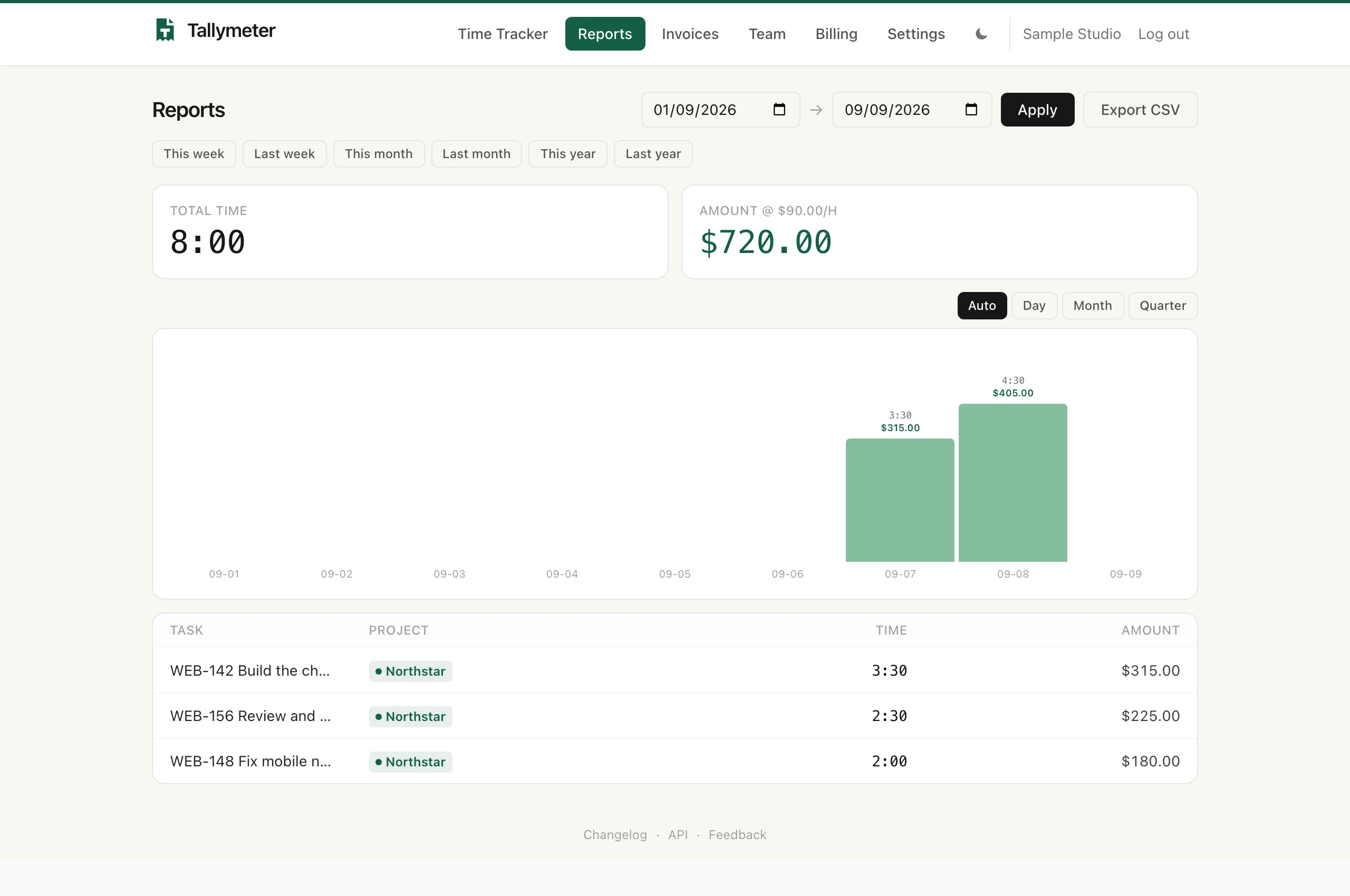
WEB-142Build the checkout flow
3h 30mWEB-148Fix mobile navigation
2h 00mWEB-156Review and ship the release
2h 30m8 hours × $90/hour$720.00
Ready to invoice
Jira worklogs + client billing€9/month, per workspace30 days free, no cardBuilt and used by its founder
From the ticket to the invoice
Finish the work.
Skip the billing busywork.
01 / TrackKeep time against the work.
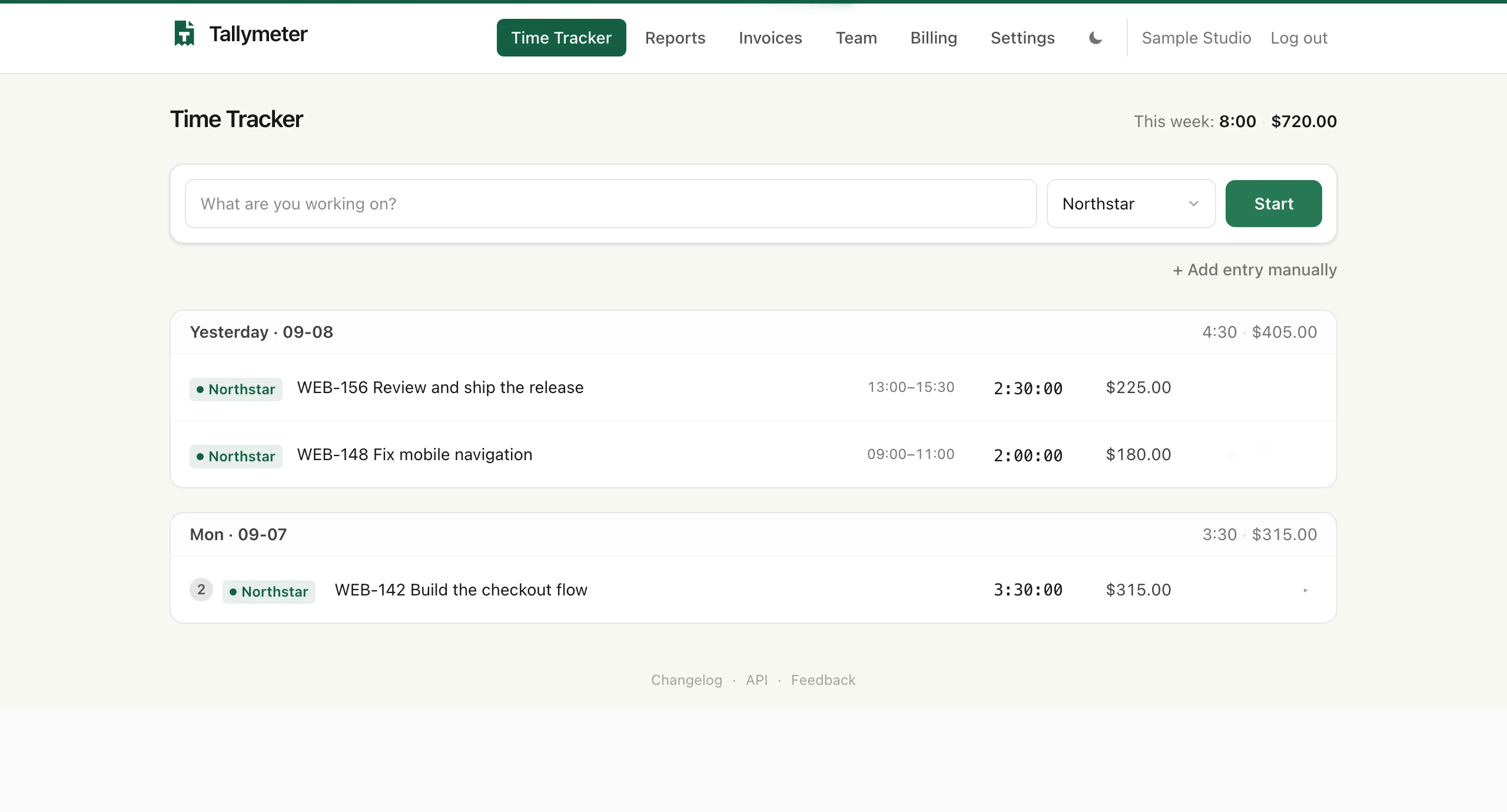
Start a timer or add hours manually. Group work by project and ticket, with billable rates attached.
02 / ReconcileCheck it against Jira.
Pull your worklogs from a ticket or push tracked entries to Jira. See differences and choose what to sync, one ticket at a time.
03 / InvoiceSend the client a clear bill.
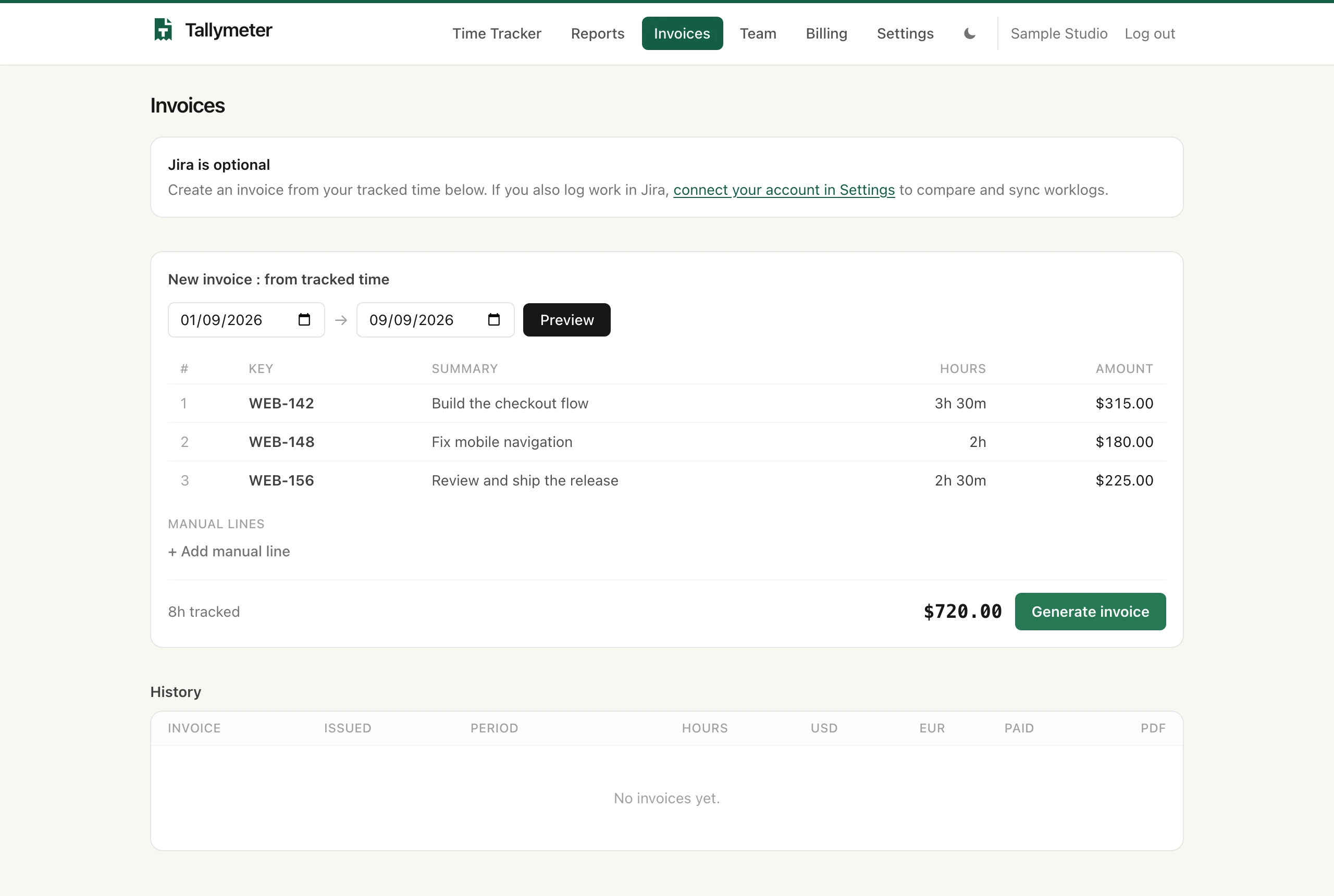
Choose a date range and generate a numbered PDF with your business details, billable totals, and a ticket breakdown.
See exactly how Jira sync works →
Why Tallymeter exists
Built for an actual
working day.
I built Tallymeter after the Clockify features I needed moved behind a paywall. I wanted a tool that fit the way I work, so I made one and use it myself.
That experience shapes the product: a focused place to track client work, check the hours, and prepare the invoice. If your work lives in Jira and you bill clients for your time, I’d like to hear how you do it.
Mantas, founder of Tallymeter
Tell me about your workflow →
Simple pricing
One plan.
Everything included.
Try it with your own work for 30 days. Keep using it if it earns its place in your billing routine.
No card required to start. No automatic charge at the end of your trial.
Looking for a free stopwatch? Use the guest timer.
Tallymeter Pro / per workspace
€9 / month
Or €90/year. Save €18 compared with monthly billing.
- Unlimited projects
- Time tracking, billable rates, and CSV reports
- Numbered PDF invoices with ticket breakdowns
- Two-way Jira worklog sync
- Team access, REST API, and MCP included
Start your 30-day free trial
No card needed · Choose billing after you try it
Before you move your work
A few useful
answers.
Do I need Jira to use Tallymeter?
No. The timer, reports, and invoices work on their own. Jira sync is there for client work that already lives in tickets.
Does Jira sync happen automatically?
You choose when to push or pull, one ticket at a time. Sync adds missing entries; it does not edit or delete existing worklogs. Differences are flagged for you to reconcile. Read the sync details.
Can I bring my Clockify history?
There isn’t a direct Clockify import yet. Start with a new billing period, or pull your own worklogs from Jira tickets. Keep your old exports for your records. Tell us what you need to move.
Who runs this, and where does my data live?
Tallymeter is operated by MB Nexus Consulting in Lithuania. Application data is hosted in Germany. You can reach us at [email protected]. Read our security details and privacy policy.
What happens after the free trial?
Choose €9/month or €90/year to keep using the app. You won’t be charged automatically. Your data is retained if access pauses. For an export after your plan ends, contact us.
Try the whole workflow
See what your next
invoice could look like.
Open a sample project, review the hours, and create a sample invoice. Bring your own work when you’re ready.